Customer Service  Tel/whatsapp: 0086 15219498637
0086 18124010269

- Home
- >
- HELP CENTER
- >
- CMS FAQ
- >
- Turn on APP alarm push function
Turn on APP alarm push function
Author:Shenzhen JOINLGO Technology Co.,Ltd.
Click:
Time:2024-12-26 09:19:45
Turn on APP alarm push function
Function description
- Configure alarm push so that APP can receive the vehicle alarm information pushed by the server in real time to remind the owner or management personnel to deal with it in time
- The alarm push function is divided into server start push and APP receive push. The server can only see the alarm type of the corresponding push on the APP.
Operating instructions
1. Server opens alarm push
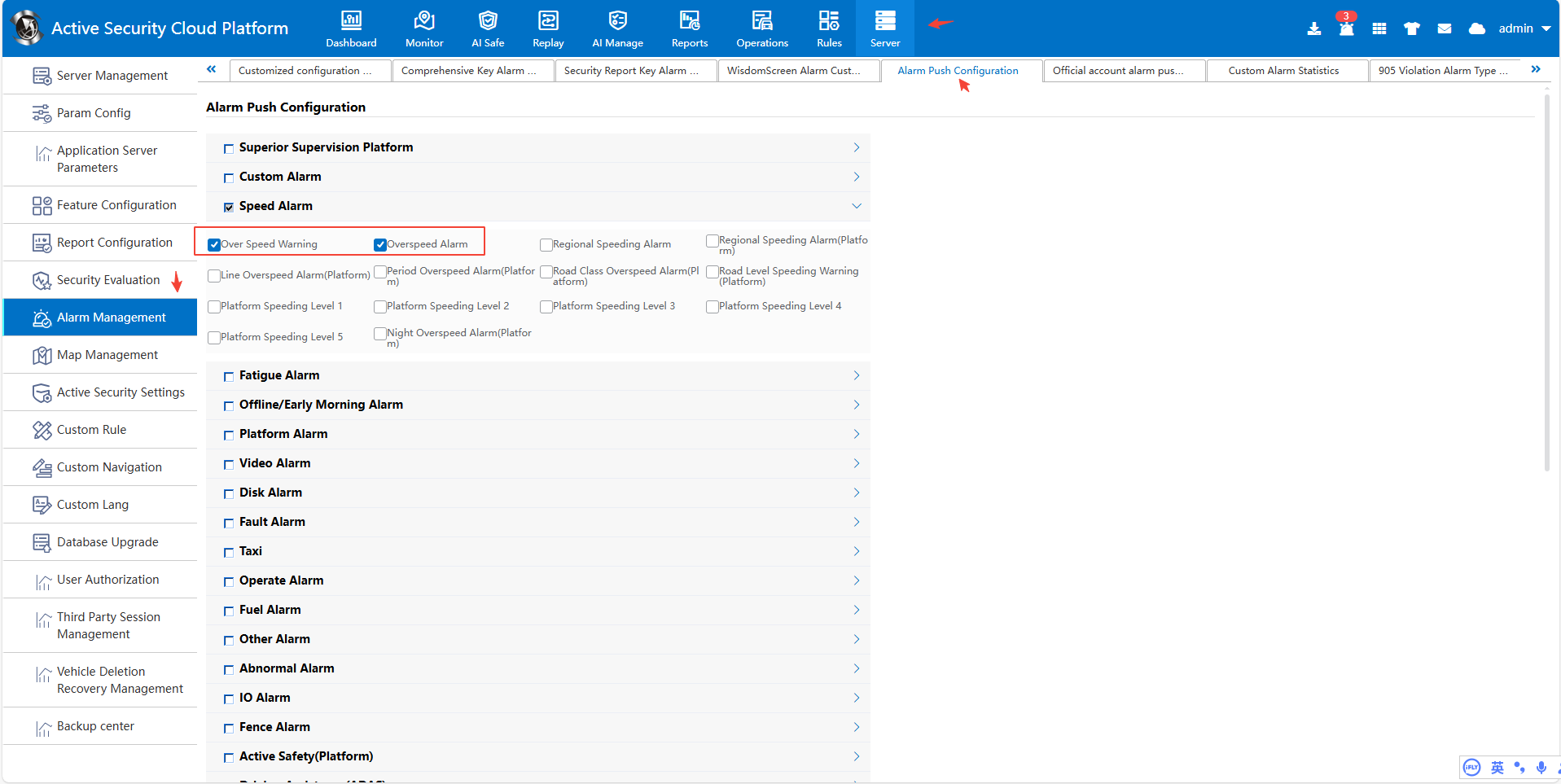
Log on to the platform with the- admin account or other accounts with server management permissions, go to Server Management- Alarm Configuration- Alarm Push Configuration, select the alarm type to be pushed, and click Save.
2. Turn on alarm reception on APP
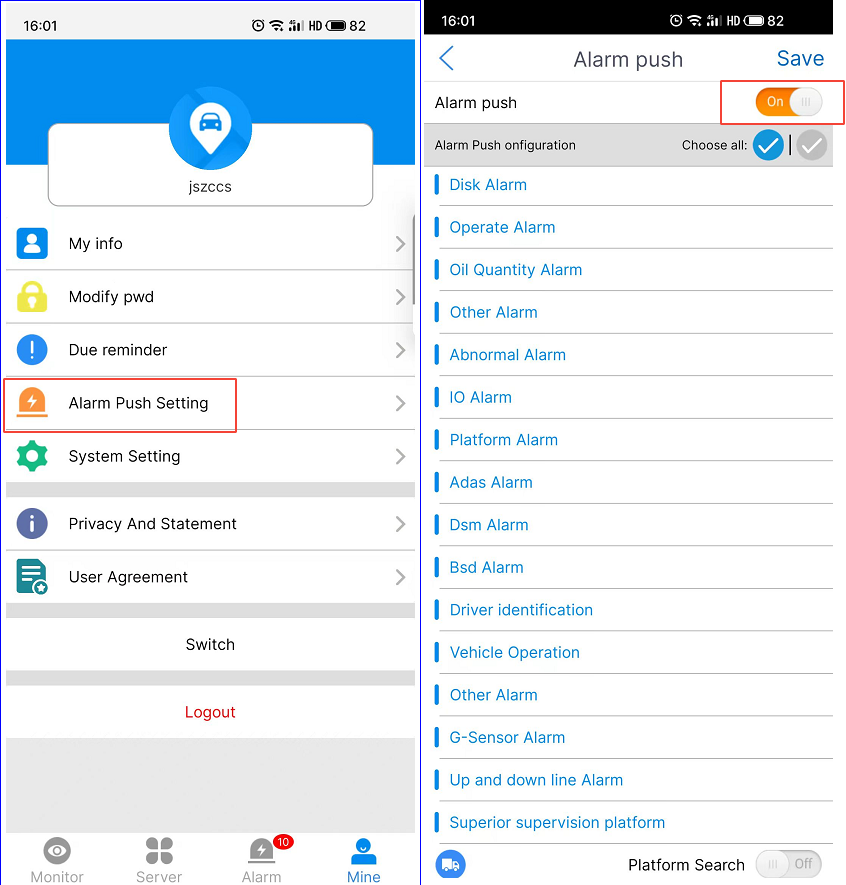
- APP opens “Alarm Push Settings” and selects the alarm type to be pushed. After clicking Save, log in to APP again. After the device triggers the selected alarm type, APP will receive the alarm push:
2.1 Android APP:
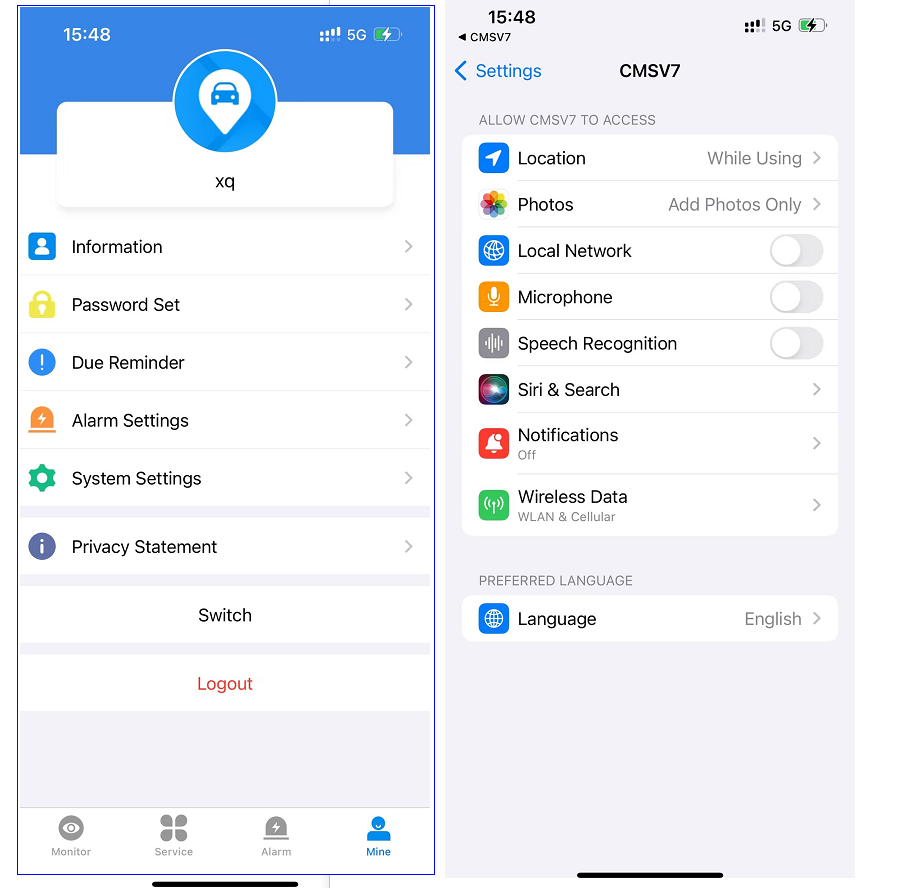
2.2 iOS APP:
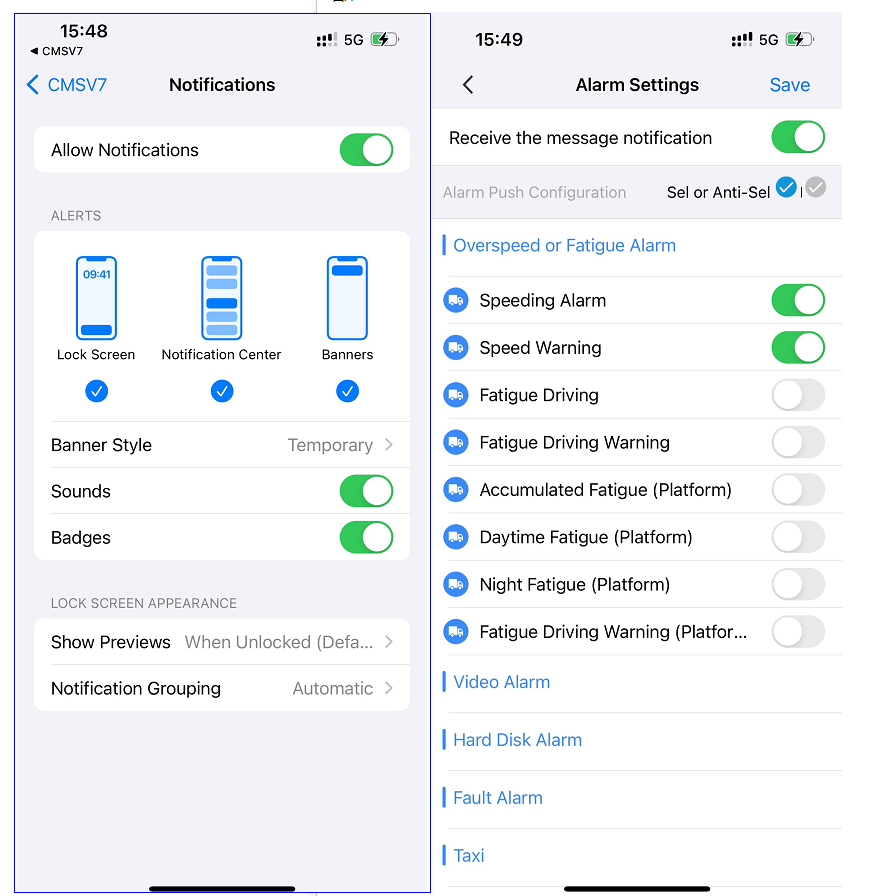
Open “Receive New Message Notification”, jump to the mobile phone system settings, open “Allow Notification”, return to check the alarm type to be pushed, and click Save.
3. Log in to APP again
- Re- login APP takes effect
Frequently Asked Questions
- Q: After pushing the configuration, the vehicle triggers an alarm and APP does not receive the alarm push.
Answer: Check whether the alarm triggered by the vehicle is in the checked alarm type
Address:
Room 1502, Building 1, No.1 Qingqing Road,
Qinghu Community,Longhua Street,
Longhua District,Shenzhen,China P.C. 518000.
Phone: +86 15219498637 (English)
Phone: +86 18124010269 (English)
Whatsapp: 0086 15219498637 (English)
Whatsapp: 0086 18124010269 (English)
Email: sale@joinlgo.com.
